
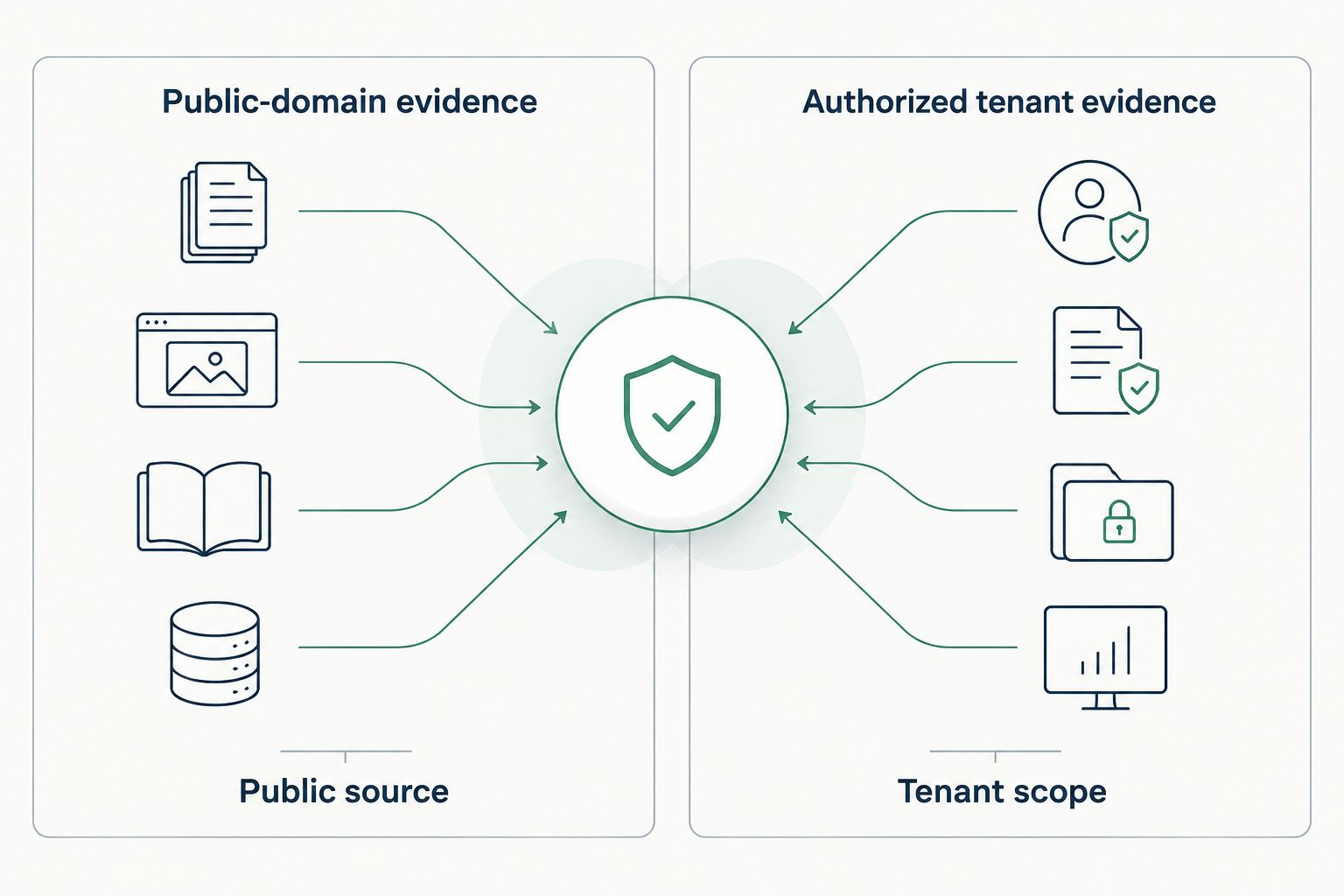
Continuous security posture assessment means collecting security evidence repeatedly, evaluating it against relevant controls and comparing results as the environment changes. How often a tool collects data, what it can see and which permissions it has determine how current that assessment really is.
A report does not become current because someone forwards it again.
That matters in MSP sales. You walk into a meeting with a report from three months ago. The prospect asks whether the issue is still there. If you cannot answer, the report has stopped helping you make a decision. It is history.
The answer is not to put “continuous” on the cover. It is to show what you checked, when you checked it and what changed.
Static reports, repeat assessments and continuous monitoring are different jobs
A point-in-time assessment can be useful. It gives the buyer a starting condition. The problem comes when we sell that starting condition as if nothing could have changed since.
Accounts get added. Permissions change. Someone publishes a DNS record. An application gets consent. The business moves while the PDF stays still.
| Approach | What it provides | What not to assume |
|---|---|---|
| Point-in-time report | Observations within a stated scope and collection date. | That the same conditions still exist today. |
| Repeat assessment | A new observation that can be compared with a previous, comparable assessment. | Visibility into everything that happened between runs. |
| Continuous monitoring | Ongoing collection or detection within the monitoring tool's coverage. | Complete coverage, immediate updates or automatic remediation just because the service is called continuous. |
Ask a vendor what “continuous” means operationally: scheduled checks, event-driven updates, persistent telemetry or a mixture. Then ask what happens when a connector loses access. A current-looking dashboard is not proof that its underlying evidence is current.
Where SCOUTz fits—and where it stops
SCOUTz Lite uses domain assessments and authorized Microsoft 365 OAuth assessments to support an evidence-led MSP conversation. A fresh assessment can give you dated observations to discuss with a prospect or compare after agreed work.
- Domain evidence: explain the specific domain observations and collection methods. Do not turn an outside-in finding into a claim about the whole company.
- Microsoft 365 evidence: review the tenant data available through supported collectors and approved access. Keep consent, permissions and unavailable checks visible.
- Between assessments: the previous report remains a historical observation. It is not a live stream of endpoint activity.
SCOUTz Lite provides dated domain and authorized Microsoft 365 assessments that you can re-run. This is a repeat-assessment workflow, not always-on monitoring, an endpoint agent or automatic remediation. Use those observations alongside the MSP's operational security stack.
Start with the domain scan first-call workflow or the Microsoft 365 scan-to-sales workflow. The point is to help a buyer choose the next check, not pretend the assessment saw everything.
A practical MSP workflow: baseline, action, re-check, conversation
- Agree the scope and authorization. Identify the domain or tenant, the collection method, the person authorized to approve access and the permitted activity. Ownership or permission is not something to guess from a company name.
- Save a usable baseline. Keep the finding, underlying source, collection date, check identity and scope together. Record missing access and uncertainty. A red icon without that context is a talking point, not defensible evidence.
- Translate one finding into one decision. Explain the possible business consequence without claiming an incident occurred. Ask who owns the condition and whether the prospect wants it verified. You do not need to sell every service in the first meeting.
- Agree the work separately. Document the proposed change, owner and approval. An assessment is not authorization to remediate. The MSP or customer performs approved work through the appropriate operational process.
- Run a comparable assessment. Use the same relevant scope and check where possible. Record changes in permissions, collection methods or coverage before drawing a before-and-after conclusion.
- Report what the comparison supports. Separate resolved, unchanged, new and not observed. A finding disappearing because access was removed does not demonstrate a fix. Ask for another check when the evidence is incomplete.
That is the sales journey: a specific observation, a shared question, an approved next step and evidence of what happened next. The proposal follows the decision. It does not have to carry the whole conversation by itself.
Example one: a domain observation that earns a second conversation
Illustrative scenario—not a finding from an actual customer scan.
Your baseline records no DMARC policy found at the checked DNS location. That is an observation about a record, not proof that the company has suffered email fraud.
Your first-call question is simple: “Who owns your email authentication, and can we verify the intended policy with them?”
After approved work, a comparable re-check finds a published DMARC record. Show both dates, the queried location and the actual policy. Explain what changed. Do not turn “a record now exists” into “all spoofing is prevented.” Publishing a policy and validating its operation are different steps.
Now the follow-up has a reason to exist. You are checking an agreed condition, not sending another “just checking in” email.
Example two: Microsoft 365 evidence the buyer can follow
Illustrative scenario—not a finding from an actual customer scan.
An authorized tenant assessment returns an MFA-related observation from a supported collector. Before presenting a percentage, explain the population, collection date, available permissions and what that check actually measures.
MFA registration, enforcement and authentication activity are different questions. Do not substitute one for another.
Following approved work, re-check the comparable population and evidence. If the collector supports the comparison, show the actual before-and-after result. If access changed or the check is unavailable, say so.
The owner needs to know the next decision. The finance leader needs to understand the scope of the work. The technical owner needs enough source detail to verify it. They can use the same evidence without receiving the same speech.
How this overlaps with other posture assessment tools
Compare the job, coverage and refresh method before comparing a feature list.
- Microsoft Secure Score tracks recommended controls in supported Microsoft services and provides trends. Microsoft describes daily data synchronization; freshness varies by recommendation. It is not a breach-probability calculation or a security guarantee. Microsoft's Secure Score documentation.
- Microsoft Defender for Cloud evaluates connected cloud resource configurations and offers workload protection through its enabled plans. That scope differs from preparing a bounded prospect conversation. Microsoft's product overview.
- Cynomi advertises assessment, compliance, scheduled scans, evidence tracking and business reporting for service providers. Evaluate its collected evidence, required permissions and comparison workflow for your prospect use case. Cynomi's platform description.
- Reclaim advertises ongoing assessment and automated remediation across endpoint, identity, email and cloud. Those are vendor-described capabilities; evaluate coverage and change controls separately from reporting. Reclaim's assessment description.
None of those descriptions establishes that one product is best for every MSP. Use the security posture assessment tool guide to structure the comparison. Ask each vendor to demonstrate its claims in your permitted test scope.
Frequently asked questions
How does continuous security posture assessment work?
It repeatedly collects relevant evidence, evaluates controls and compares results as conditions change. Collection cadence, connector coverage and permissions determine freshness. Scheduled assessments, event-driven updates and persistent telemetry provide different visibility.
Does SCOUTz Lite provide continuous monitoring?
SCOUTz Lite supports domain and authorized Microsoft 365 assessments. A re-run can produce fresh, dated evidence. Between runs, the report remains a historical observation; it is not always-on endpoint monitoring or automatic remediation.
Does a new report prove a finding was fixed?
Only when comparable evidence supports that conclusion. Preserve dates, check identity, scope and source. Changed permissions or reduced coverage can hide a finding without resolving it. Mark incomplete results as not observed or unavailable.
Does posture assessment replace EDR or cloud workload protection?
No. Evidence collection, configuration assessment, threat detection and operational response are different jobs. Compare supported coverage and use the assessment alongside the appropriate operational security tools.
Can re-scanning disrupt a prospect?
Confirm authorization, permissions, collection methods and request volume before re-running. Read-only assessment and remediation are separate actions. Do not assume read-only means zero operational impact or promise a non-disruptive result without a verified scope.
Bring the evidence, not a freshness claim
Before your next meeting, pick one finding. Put its source, scope and date beside it. Write the question you need answered. Agree what a useful re-check would establish.
That gives the prospect something better than a newer PDF: a clear way to decide whether the condition changed and what to do next.
See SCOUTz on a prospect you want to win. Bring an authorized prospect scenario and a real sales question.